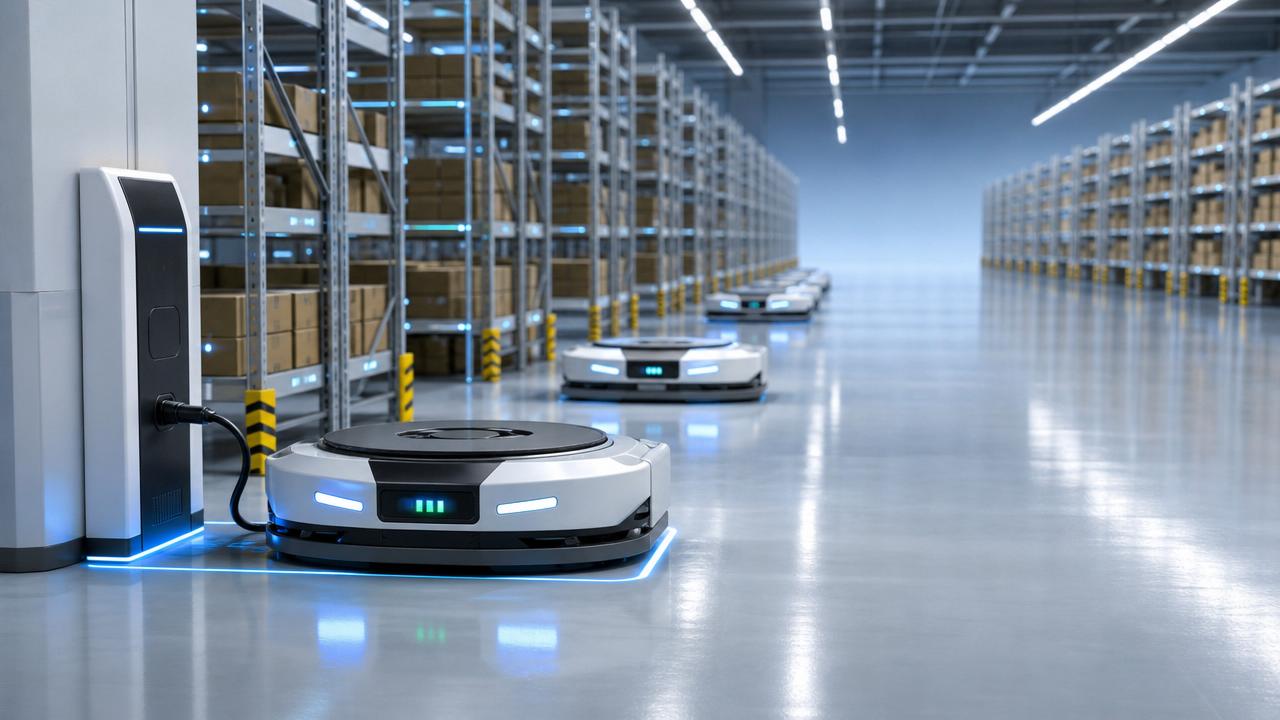
For after-sales maintenance teams, every unplanned robot stoppage can trigger urgent service calls, delayed orders, and rising operational costs.
Logistics robot fleet management software helps reduce these risks by giving technicians real-time visibility into robot health, task status, battery performance, error codes, and maintenance history.
By connecting diagnostics, alerts, scheduling, and performance analytics in one system, it enables faster troubleshooting and more proactive support.
This article explores the key software features that improve uptime and help maintenance teams keep automated logistics operations stable, efficient, and easier to service.
What Maintenance Teams Really Need From Fleet Management Software
After-sales teams usually search for logistics robot fleet management software because downtime has already become difficult to control.
The real question is not whether the software can display robots on a screen, but whether it shortens diagnosis and repair time.
Maintenance users care about fault visibility, remote access, service records, spare parts planning, and repeatable troubleshooting procedures.
They also need evidence when communicating with warehouse managers, system integrators, robot vendors, or internal support teams.
Good software turns scattered symptoms into a clear service workflow, showing what happened, where it happened, and what should happen next.
For uptime improvement, the most valuable functions are those that prevent small abnormalities from becoming full operational stoppages.
Real-Time Robot Health Monitoring Reduces Blind Troubleshooting
Real-time health monitoring is one of the most important features for maintenance teams responsible for active logistics robot fleets.
The system should show robot status, location, task progress, load condition, battery level, connectivity, sensor status, and controller health.
Without this visibility, technicians often depend on operator descriptions, delayed reports, or manual inspection after the robot has stopped.
A useful dashboard should separate normal operation, warning status, degraded operation, and critical failure in a way technicians can trust.
For example, a robot may still be moving, but repeated localization corrections can indicate a navigation issue before failure occurs.
Maintenance teams can then check markers, maps, reflectors, lighting, floor condition, or sensor alignment before production is interrupted.
The best systems also allow filtering by fleet group, robot model, work zone, fault category, or customer site.
This matters when after-sales teams support many warehouses and need to prioritize the most urgent or business-critical cases first.
Fault Alerts Must Be Actionable, Not Just Noisy
Alerts improve uptime only when they help technicians decide what to do next, instead of simply reporting that something is wrong.
A practical alert should include fault code, timestamp, robot ID, location, task context, system module, and severity level.
It should also show whether the fault is new, recurring, related to a previous repair, or spreading across multiple robots.
This distinction is essential because one isolated sensor alarm requires a different response from a site-wide network instability pattern.
Good logistics robot fleet management software should support escalation rules based on urgency, customer importance, operating hours, and service level agreements.
For after-sales teams, configurable notification channels are also important, including email, SMS, mobile application, or integration with ticketing systems.
However, excessive alerts create alarm fatigue and make technicians ignore warnings that may actually predict costly stoppages.
The software should allow threshold tuning, alert grouping, duplicate suppression, and priority logic based on operational impact.
Remote Diagnostics Help Resolve Problems Before Site Visits
Remote diagnostics are especially valuable when maintenance teams support robots across different warehouses, cities, or international customer sites.
Instead of sending engineers immediately, the team can review logs, operating parameters, sensor readings, network data, and recent commands remotely.
This shortens the first response time and helps determine whether the issue is software, hardware, environment, battery, or workflow related.
For many logistics robot faults, the first hour after detection determines whether operations recover quickly or fall behind schedule.
Remote access should include secure log collection, map review, firmware version checks, error replay, parameter comparison, and diagnostic test routines.
Some systems also support remote restart, mission cancellation, traffic rule adjustment, or temporary exclusion of a problematic robot.
These functions do not replace field service, but they make on-site visits more targeted and better prepared.
When technicians arrive with a probable cause, required tools, and correct spare parts, repair time drops significantly.
Predictive Maintenance Features Protect Uptime More Than Reactive Repairs
Reactive maintenance waits for breakdowns, while predictive maintenance uses operational data to identify components moving toward failure.
For logistics robots, important indicators include motor temperature, wheel wear, charging behavior, battery degradation, brake cycles, and sensor abnormalities.
The software should track trends over time rather than treating every data point as an isolated event.
For example, a robot with gradually increasing charging time may need battery inspection before it misses critical operating windows.
A robot with repeated path correction in the same area may indicate map drift, floor damage, or environmental interference.
Predictive maintenance helps after-sales teams plan service during low-impact windows instead of responding during peak shipping hours.
It also supports better spare parts forecasting, because teams can see which components are approaching replacement thresholds.
The value is not only fewer failures, but fewer emergency repairs, fewer rushed decisions, and more stable customer confidence.
Battery and Charging Management Directly Affects Fleet Availability
Battery problems are a common cause of reduced uptime, especially in warehouses running robots across long shifts.
Fleet management software should show battery state of charge, charging cycles, temperature, health status, and charging station availability.
It should also identify robots that consume energy abnormally compared with similar units performing similar tasks.
Abnormal consumption may result from wheel resistance, overloaded routes, poor path planning, battery aging, or mechanical drag.
Smart charging coordination is equally important because too many robots charging simultaneously can reduce available fleet capacity.
The system should schedule charging based on workload demand, battery health, shift plans, and expected task peaks.
For maintenance teams, battery data helps distinguish between a charging infrastructure issue and a robot-specific electrical issue.
This prevents unnecessary battery replacement and reduces repeated service visits caused by incomplete root cause analysis.
Maintenance History Creates Faster Root Cause Analysis
A reliable maintenance history is more than a digital notebook; it is the memory of the entire fleet.
Each robot should have records covering fault events, inspection results, replaced parts, firmware updates, parameter changes, and technician notes.
When a robot fails again, technicians should quickly see whether the same issue happened before and how it was resolved.
This is critical for after-sales teams with multiple technicians, because service quality should not depend only on individual memory.
Good records also reveal whether certain faults are linked to specific robot models, batches, warehouse zones, or operating patterns.
If several robots show similar failures after a firmware update, the issue may require software rollback or vendor escalation.
If failures concentrate near one aisle, the cause may be environmental rather than mechanical.
Structured service history supports faster judgment, stronger customer communication, and more accurate warranty or responsibility analysis.
Task and Traffic Visibility Helps Separate Robot Faults From Workflow Problems
Not every stoppage is caused by a broken robot, and maintenance teams need software that shows the operational context.
Fleet task visibility helps identify whether delays come from robot defects, blocked routes, traffic congestion, elevator delays, or system commands.
In automated warehouses, robots may wait because another process is unavailable, not because the robot itself has failed.
If technicians cannot see task queues and traffic conditions, they may waste time inspecting healthy equipment.
The software should display assigned tasks, waiting time, route conflicts, blocked nodes, deadlock risks, and completed mission statistics.
This information is especially useful when customers report that robots are slow, idle, or not completing orders on time.
Maintenance teams can then explain whether the problem is technical, operational, layout-related, or caused by upstream warehouse systems.
Clear separation between robot faults and workflow constraints improves credibility and prevents unnecessary service escalation.
Software Update and Configuration Control Prevents New Downtime
Updates can solve problems, but uncontrolled updates can also create new failures across an entire robot fleet.
Fleet management software should support version tracking, staged deployment, rollback options, configuration backups, and update approval workflows.
After-sales teams need to know exactly which robots are running which firmware, map version, navigation parameters, and application settings.
This is essential when diagnosing faults that appear only after a specific update or configuration change.
Staged rollout reduces risk by testing updates on limited robots before deploying them to the full fleet.
Rollback capability is equally important when a new version causes unexpected navigation, communication, or task execution issues.
Configuration control also helps standardize service, especially when customers have similar sites using different parameter settings.
Without version discipline, maintenance teams may repair symptoms while the real cause remains hidden in inconsistent software environments.
Integration With Service Tickets Improves Response Discipline
For after-sales maintenance teams, uptime depends not only on detecting faults, but also on managing the response process.
Integration with service ticket systems helps convert robot alarms into traceable tasks with owners, deadlines, priorities, and closure records.
This prevents urgent faults from being lost in chat messages, phone calls, or informal communication between shifts.
A good workflow links each ticket to robot data, fault logs, service actions, parts usage, and customer communication.
Managers can then review response time, repair time, repeat incidents, and unresolved risks across sites or customers.
For service teams working under service level agreements, this evidence is important for compliance and performance reporting.
Ticket integration also improves handover quality when one technician diagnoses the issue and another completes the repair.
The result is a more disciplined maintenance process, with less dependence on personal memory or fragmented communication.
Performance Analytics Show Whether Uptime Is Actually Improving
Uptime improvement must be measured, otherwise maintenance teams cannot know whether software features are producing real operational value.
Important metrics include robot availability, mean time between failures, mean time to repair, alert response time, and task completion rate.
Teams should also track repeat faults, parts replacement frequency, charging efficiency, idle time, and maintenance work order closure quality.
These metrics help distinguish between a fleet that looks stable and a fleet that is quietly accumulating operational risk.
Analytics should be available by robot, site, zone, customer, shift, fault type, or maintenance team.
This level of detail helps managers identify whether downtime is caused by equipment aging, weak procedures, layout issues, or user behavior.
Reports should be practical, not decorative, with clear trends and recommended maintenance priorities.
For after-sales teams, analytics also support customer reviews, warranty discussions, renewal decisions, and continuous improvement planning.
Security and Access Control Are Part of Reliable Maintenance
Remote maintenance and connected robot fleets create security responsibilities that cannot be treated as secondary concerns.
The software should provide role-based access control, audit logs, encrypted communication, secure remote sessions, and permission management.
Technicians may need diagnostic access, while customer operators may only need status visibility and basic incident reporting.
Clear access levels reduce operational mistakes, unauthorized parameter changes, and accidental interference with live warehouse tasks.
Audit logs are also important because they show who changed settings, restarted systems, updated software, or closed alarms.
When incidents occur, this traceability helps separate system faults from human actions and supports responsible service investigation.
For global B2B operations, security controls also support compliance expectations from large manufacturers, retailers, and logistics companies.
A system that improves uptime but exposes operational risk is not a complete maintenance solution.
How to Evaluate Logistics Robot Fleet Management Software Before Adoption
Maintenance teams should evaluate software through realistic service scenarios, not only through vendor demonstrations or feature lists.
Start with common incidents, such as repeated charging failure, localization loss, route blockage, sensor alarm, or communication interruption.
Check whether the software helps identify the fault, prioritize the response, collect evidence, and guide corrective action.
Then test whether technicians can use the system easily during pressure, not only in a controlled presentation environment.
Important evaluation questions include how quickly alerts arrive, whether logs are complete, and how easily historical records can be searched.
Teams should also assess integration with warehouse management systems, maintenance platforms, spare parts databases, and customer reporting tools.
Scalability matters because a system that works for ten robots may become difficult to manage with hundreds.
The strongest choice is usually the software that improves response quality, reduces repeat failures, and supports measurable uptime gains.
Common Implementation Mistakes That Reduce Uptime Benefits
One common mistake is deploying fleet management software without defining maintenance ownership and escalation responsibilities.
If no one is responsible for alert review, even the best monitoring system becomes a passive display screen.
Another mistake is ignoring data quality, especially incomplete robot IDs, unclear fault categories, or inconsistent service note formats.
Poor data makes trend analysis unreliable and weakens the long-term value of predictive maintenance functions.
Some teams also enable too many alerts at launch, creating noise before technicians learn which warnings truly matter.
A better approach is to begin with critical faults, refine thresholds, and gradually expand monitoring coverage.
Training is equally important because technicians must understand both the software interface and the robot operating logic behind the data.
Successful implementation combines software, maintenance procedures, technician discipline, and continuous review of actual downtime causes.
Conclusion: Uptime Comes From Visibility, Discipline, and Faster Decisions
Logistics robot fleet management software improves uptime when it helps maintenance teams move from reactive repair to informed prevention.
The most valuable features are real-time monitoring, actionable alerts, remote diagnostics, predictive maintenance, battery management, and service history.
Task visibility, update control, ticket integration, analytics, and security also matter because uptime depends on the whole service process.
For after-sales maintenance teams, the right system reduces blind troubleshooting and turns robot data into practical service decisions.
When software supports faster diagnosis, better planning, and clearer accountability, automated logistics operations become more stable and easier to maintain.