
Reefer Technology Monitoring Systems: Common Failures and Fixes
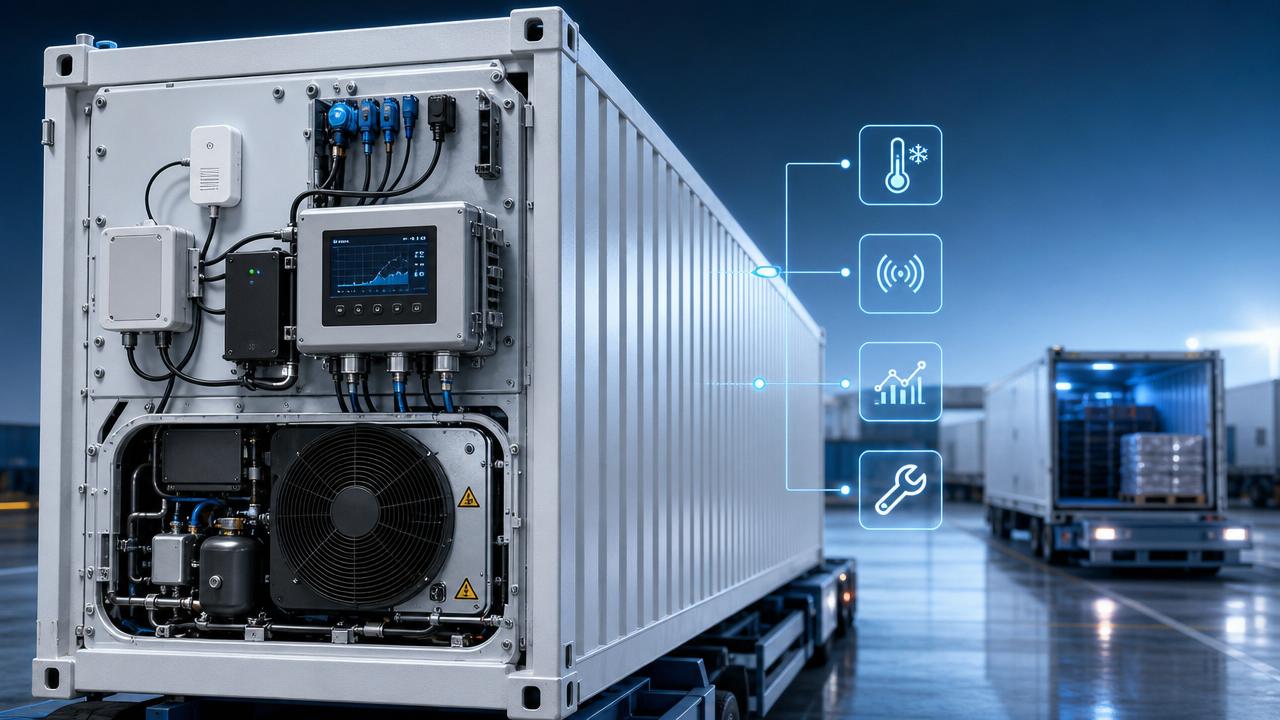
Why do Reefer Technology monitoring systems matter so much in daily cold chain operations?
Reefer Technology monitoring systems sit at the center of refrigerated transport control, alarm visibility, and maintenance response.
When these systems fail, the issue is rarely limited to one display screen or one disconnected sensor.
Temperature instability can lead to cargo loss, delayed handover, compliance disputes, and avoidable service costs.
That is why reefer monitoring faults deserve the same attention as compressor, controller, or power train problems.
In practical terms, Reefer Technology monitoring systems help track temperature, defrost cycles, door status, power condition, and communication health.
They also support traceability, which matters in logistics audits, service verification, and international cold chain documentation.
For an industry information platform focused on factory operations, automation, and supply chain resilience, this topic is more than technical detail.
It connects equipment reliability with operating efficiency, risk control, and better maintenance decisions across transport networks.
The more useful question is not whether alarms happen, but how quickly teams can separate false alerts from real cooling risk.
Which failures show up most often, and what usually causes them?
Most faults in Reefer Technology monitoring systems fall into four groups: sensor errors, communication loss, power problems, and interface faults.
Sensor drift is common because probes age, connectors corrode, or wiring insulation weakens under vibration and moisture.
When a temperature probe reads two degrees high, the cooling unit may still work, but the monitoring logic becomes misleading.
Communication loss is another frequent issue, especially in mixed fleets using telematics gateways, legacy controllers, and different data protocols.
Sometimes the refrigeration unit is healthy, yet the office only sees missing data, delayed uploads, or repeated offline warnings.
Power faults usually come from unstable voltage, damaged fuses, poor grounding, battery decline, or intermittent harness connections.
Display or interface problems often appear as frozen screens, unresponsive keypads, alarm history loss, or incorrect parameter feedback.
In real service conditions, multiple causes can overlap, which is why quick assumptions often waste repair time.
A practical fault snapshot
Before replacing parts, it helps to compare the symptom, the likely source, and the first confirmation step.
When alarms appear, how do you diagnose fast without replacing the wrong part?
The fastest diagnosis usually starts with operating context, not with parts removal.
Check whether the unit is cooling normally, whether the cargo temperature trend is stable, and whether the alarm is repeating.
A single high return-air alarm after door opening does not mean the system is failing.
A drifting sensor that slowly deviates over several trips is a more meaningful warning sign.
A reliable field sequence often looks like this:
- Confirm the exact alarm code and timestamp.
- Compare displayed values with an independent measurement tool.
- Inspect connectors, harness stress points, and signs of moisture ingress.
- Review recent firmware updates, battery work, or component replacements.
- Test communication continuity before replacing sensors or control boards.
This approach reduces guesswork and helps separate field wiring faults from controller failures.
It also matters for service records, because recurring incidents often reveal process weaknesses rather than isolated hardware defects.
For example, repeated connector corrosion may point to washdown exposure or poor sealing standards during previous repairs.
Are communication and data problems really as serious as cooling faults?
In many operations, yes.
A refrigeration unit can perform correctly while the monitoring layer fails to report it.
That gap creates uncertainty during handover, claims review, customs checks, and route exception handling.
Reefer Technology monitoring systems are often linked with fleet tracking, warehouse planning, and cold chain visibility tools.
Once data quality drops, broader supply chain decisions also suffer.
More common than total failure is partial failure.
The system may upload temperature data but miss door events, GPS intervals, or defrost records.
That kind of inconsistency is harder to spot and more dangerous during audits.
A sensible rule is to review communication health as part of preventive maintenance, not only after a complaint.
Signal strength, SIM validity, firmware compatibility, antenna placement, and gateway power stability all deserve routine checks.
This is where industrial digitalization meets transport reality: visibility is useful only when data remains consistent and trusted.
What mistakes make Reefer Technology monitoring systems harder to maintain?
One frequent mistake is treating every alarm as a component failure.
Many alarms reflect installation quality, calibration drift, or operating events rather than a failed module.
Another mistake is replacing probes without checking reference values and wiring resistance.
That may clear one trip issue but leave the original root cause untouched.
A third mistake is ignoring software and configuration history.
After updates, parameter mapping, alarm thresholds, or communication settings may no longer match field hardware.
The most expensive error is weak documentation.
Without consistent records, repeat failures look random, and maintenance teams keep solving the same issue from zero.
In practice, the strongest maintenance programs standardize three things:
- Calibration intervals for key sensors.
- Connector inspection points after vibration-heavy routes.
- Event logging for alarms, repairs, firmware changes, and retests.
That discipline lowers downtime and improves the credibility of monitoring data across the cold chain.
How should you decide between quick repair, deeper retrofit, or system upgrade?
The answer depends on fault frequency, data criticality, spare part access, and fleet integration needs.
If a unit has isolated sensor drift and stable communications, a targeted repair is usually enough.
If the same unit shows repeated signal loss, unstable power, and aging connectors, piecemeal replacement becomes less efficient.
That is often the point where retrofit planning makes more sense than reactive service calls.
A deeper review should consider not only repair cost, but also downtime hours, compliance exposure, and data reliability.
This broader view fits the way industrial intelligence platforms evaluate operations: equipment issues affect logistics, reporting, and risk management together.
If decisions are based only on part price, the real operating cost of unreliable monitoring stays hidden.
What is the smartest next step after a monitoring failure has been fixed?
The repair is only half the job.
The smarter next step is to turn one incident into a better maintenance standard.
Start by recording the symptom, root cause, parts changed, calibration result, and retest outcome.
Then review whether the problem points to a wider pattern across routes, units, or service procedures.
Reefer Technology monitoring systems deliver the most value when maintenance data feeds operational judgment, not just repair history.
That means checking whether alarm thresholds need adjustment, whether spare parts quality is consistent, and whether preventive checks are timed correctly.
For companies tracking industrial efficiency, cold chain stability, and supply chain risk, this is the practical takeaway.
Do not treat monitoring failures as isolated technical noise.
Use them to refine troubleshooting logic, compare repair-versus-upgrade decisions, and strengthen data trust across transport operations.
A useful next move is to build a short inspection checklist around sensors, power quality, connectors, communications, and calibration intervals.
That creates a clearer basis for future fixes and better long-term performance from Reefer Technology monitoring systems.
Related Intelligence